I just published a new project called google-analytics-mcp, and I wanted to share why I’m excited about it.
Even though the repo name says “analytics,” the project includes both:
- Google Search Console data for search performance
- Google Analytics data for traffic and behavior
The goal is simple: connect these sources to MCP-compatible AI tools so you can ask questions in plain language instead of jumping through five dashboards every time.
Why I Built It
I kept running into the same problem: the data existed, but getting quick answers still took too many steps.
Usually the flow looked like this:
- Open Search Console for query and ranking data
- Open GA for sessions, channels, and engagement
- Export or copy numbers
- Try to connect everything manually
That works, but it is slow when you just need a fast decision. MCP makes it easier to query both systems in one place and keep momentum.
What It Shows in Practice
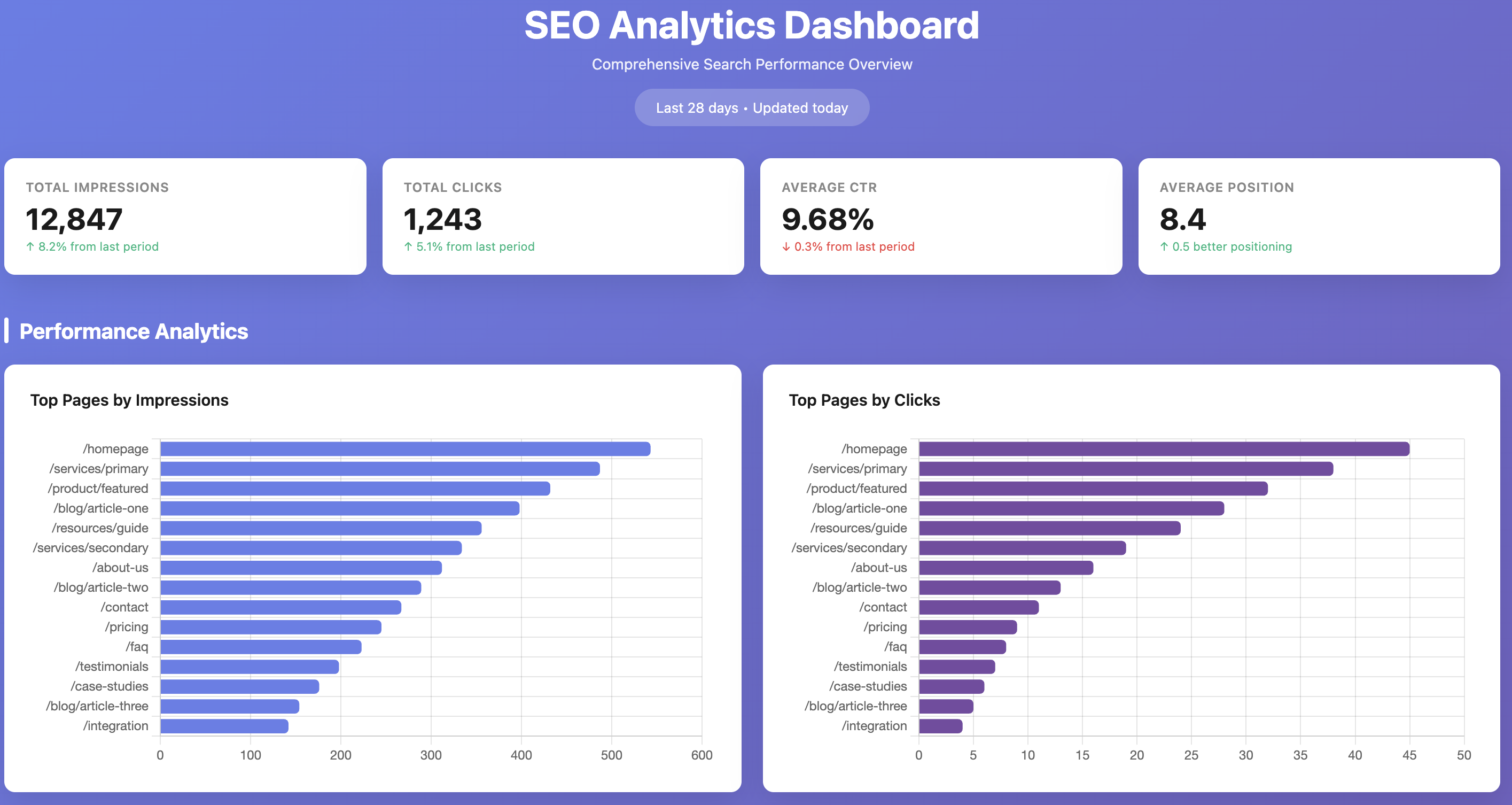
Here is the dashboard-style overview from the project.
You get high-level visibility first: impressions, clicks, CTR, and average position, followed by top pages and performance trends. It gives you a solid snapshot before you drill deeper.
Google Search Console + Google Analytics Together
This is the part that matters most to me.
From Search Console, you can quickly inspect:
- Top queries by clicks and impressions
- CTR by query
- Average position trends
From Google Analytics, you can inspect:
- Channel mix (organic, direct, referral, social)
- Top pages by sessions
- Engagement metrics like average session duration
When both are available through the same MCP flow, it becomes much easier to connect ranking changes with traffic and engagement outcomes.
Detailed Views
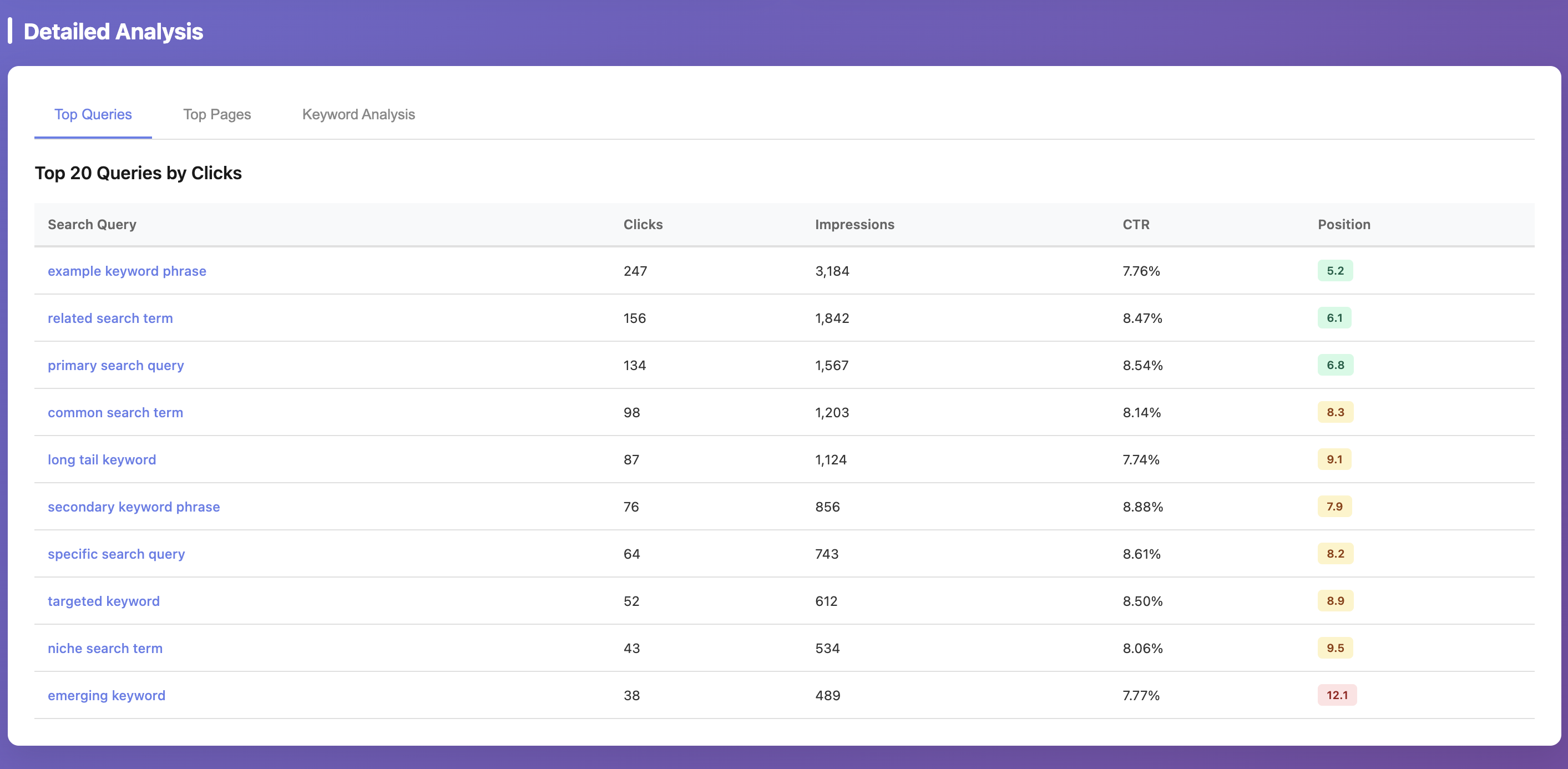
Example of a query-level Search Console breakdown:
Example of analytics views mixed with SEO context:
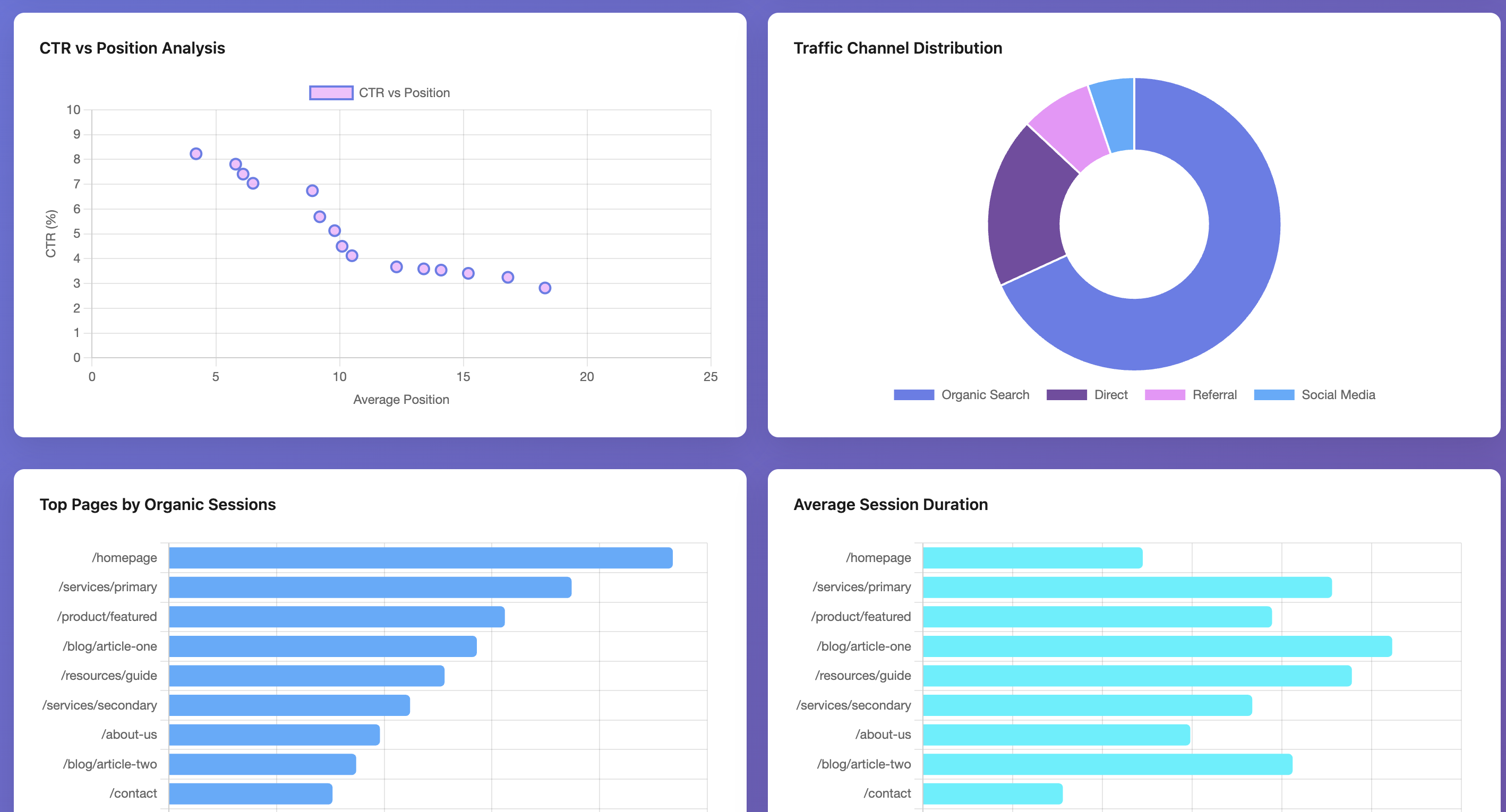
This is exactly the type of view I wanted: one place to inspect visibility, clicks, channel distribution, and page behavior without switching tools every minute.
Where This Helps Most
I see this being useful in three common scenarios:
- Weekly SEO reviews: get quick summaries of what moved up or down
- Content prioritization: find pages with high impressions but low CTR
- Growth experiments: compare ranking wins with actual traffic quality
It does not replace deep analysis in GA or Search Console UI, but it is very good for fast exploration and decision-making.
Repo
If you want to test it, contribute, or adapt it for your own setup, the repository is here:
https://github.com/jafforgehq/google-analytics-mcp
I’ll keep improving it and share follow-up updates once I add more capabilities.